The Ultimate Guide to Artificial Intelligence Apps – Transform Your Productivity in 2026
Table of Contents
- Introduction to Artificial Intelligence
- Why Artificial Intelligence Apps Are Essential for Modern Productivity and Creativity
- Why Choose AI Apps Over Traditional Software?
- How AI Apps Work in Your Daily Workflow
- What Makes AI Apps Different from Regular Apps?
- Large Language Models and AI Apps
- AI Tools and Agents: Beyond Apps
- Top AI Apps by Category
- Image Processing and AI
- AI Apps for Different User Types
- Pricing and Accessibility of AI Apps
- Frequently Asked Questions About AI Apps
- Get Started with AI Apps Today
- Conclusion and Future of AI
Introduction to Artificial Intelligence
Artificial intelligence is rapidly transforming the way we tackle everyday tasks, making our lives more efficient and creative than ever before. Thanks to the rise of advanced AI tools and large language models, users can now interact with machines in a way that feels natural and intuitive. AI apps are no longer just for tech experts — anyone can use them to automate repetitive workflows, generate content, analyze data, and even create stunning images or videos with just a few clicks.
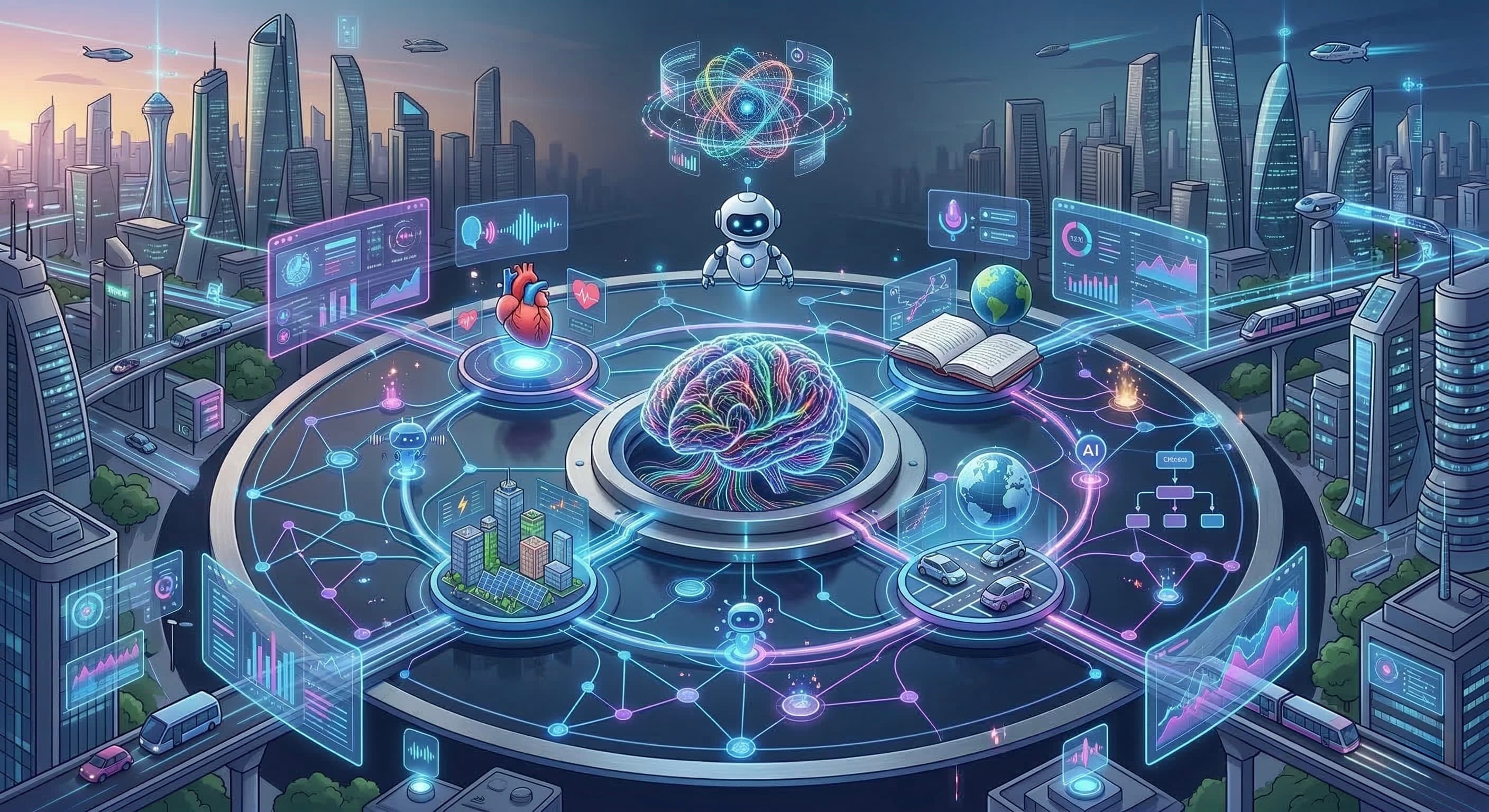
Generative AI tools have opened up new possibilities for creativity and productivity. For example, Notion AI brings artificial intelligence directly into your workspace, allowing you to generate text, summarize meeting notes, and even build custom AI agents to automate your daily routines. Whether you need instant answers to complex questions, want to streamline your workflow, or are looking to enhance your creative projects, AI-powered platforms are now more accessible than ever. With these tools, users can easily manage tasks, analyze data, and produce high-quality images — all with the help of AI. The future of productivity is here, and it’s powered by artificial intelligence.
Why Artificial Intelligence Apps Are Essential for Modern Productivity and Creativity
Every day, you juggle dozens of daily tasks that drain your energy: writing emails, organizing meeting notes, analyzing data, and trying to squeeze in creative work between administrative chaos. Traditional software forces you to adapt to rigid workflows, but artificial intelligence apps flip that equation entirely. AI is reshaping the way we work across various industries, including marketing and education.
Modern AI apps learn your patterns, anticipate your needs, and automate the tedious work that steals your focus. AI applications are increasingly being integrated into everyday tools to enhance productivity and streamline tasks. Whether you’re battling creative blocks, drowning in repetitive tasks, or simply need quick answers to complex questions, these tools help solve problems across different domains and provide immediate solutions. The best part? You don’t need technical expertise. Natural language processing means you can simply tell the AI what you need in plain English, and it delivers.
Why Choose AI Apps Over Traditional Software?
Here’s why millions of users are switching from conventional tools to AI powered alternatives:
-
Intelligent Automation Saves 10-15 Hours Weekly – AI handles repetitive tasks like email sorting, document formatting, and data entry without constant supervision
-
Personalized Assistance That Learns You – Unlike static software, machine learning algorithms adapt to your workflow patterns, writing style, and preferences over time
-
Cost-Effective Alternative to Specialists – One assistant powered by AI can replace multiple expensive subscriptions or freelancer costs for writing, design, and data analysis, offering an all-in-one solution for various tasks
-
24/7 Availability for Instant Answers – Get immediate help with various tasks at 3 AM or during weekend deadlines — no waiting for business hours
-
Continuous Learning Capabilities – Performance improves the more you use these apps, thanks to large language models that fine tune responses based on feedback
When considering artificial intelligence apps, it’s important to look at the key features of AI platforms versus standalone tools. AI platforms offer a broader range of functions, allowing for customization of inputs and seamless integration into existing workflows — capabilities that standalone tools typically lack. Additionally, AI platforms can support collaboration among teams, making them especially suitable for business environments.
With AI apps, you get the power of advanced machine learning without the complexity. Designed for every skill level, these tools deliver results in minutes.
How AI Apps Work in Your Daily Workflow
Getting started with AI apps is simpler than you might expect. Here’s how seamless integration actually works:
Step 1: Choose Apps That Match Your Specific Needs Start by identifying your pain points. Need help with long form work like reports? Writing apps excel here. Drowning in file uploads and document organization? Productivity tools handle that. Want image generation for marketing? Creative apps have you covered.
Step 2: Integrate With Your Existing Tools Connect your chosen AI apps to platforms you already use — Google Drive, Gmail, Slack, Microsoft 365, or Google Meet. Most offer one-click connections that sync your data automatically. Many AI platforms also provide a visual interface for building workflows, making ai automation accessible to non-technical users.
Step 3: Train the AI Through Initial Use Spend 15-20 minutes showing the AI your preferences. Upload examples of your writing style, specify your industry terminology, or demonstrate your typical workflow automation needs.
Step 4: Experience Enhanced Productivity Watch as AI handles routine decisions, surfaces intelligent suggestions, and automates workflows you previously managed manually. Most users report measurable time savings within the first week.
What Makes AI Apps Different from Regular Apps?
Traditional software does exactly what you tell it—nothing more. AI apps think alongside you:
-
Machine Learning Adapts to Your Behavior – The more you use these tools, the better they understand your preferences, from writing tone to scheduling habits. While some AI tools are designed for specific tasks, such as generating copy or summarizing text, AI platforms and general purpose assistants like ChatGPT and Claude can handle multiple functions, offering greater versatility compared to specialized solutions.
-
Natural Language Processing Enables Conversation – Forget complex menus. Simply type or use voice commands to explain what you need in everyday language
-
Predictive Capabilities Anticipate Your Needs – Based on your patterns, AI apps suggest next steps, surface relevant information, and automate routine decisions before you ask. AI platforms can also integrate with popular applications like Slack, Salesforce, and Notion, making them especially useful in business environments.
Large Language Models and AI Apps
Large language models are the driving force behind today’s most powerful AI apps. These sophisticated models are trained on massive datasets, enabling them to understand and generate natural language with remarkable accuracy. This means AI apps can now interpret your requests, answer questions, and even hold conversations that feel genuinely human.
AI apps like ChatGPT use large language models to deliver instant, human-like responses, making it easy to get help with everything from data analysis to creative writing. Other tools leverage these models for specialized tasks—think phone call assistants that transcribe and summarize conversations, or apps with voice mode that let you interact hands-free. Image generation and image processing have also been revolutionized, with AI apps now able to create original visuals or enhance photos using natural language prompts.
Seamless integration with popular platforms, such as Google services, means these AI-powered solutions can fit right into your existing workflow. Whether you’re tackling complex tasks, automating repetitive processes, or simply looking for a smarter way to manage your data, large language models make it possible for AI apps to deliver powerful results with minimal effort. As these models continue to evolve, expect even more advanced features and smarter automation to become part of your everyday toolkit.
AI Tools and Agents: Beyond Apps
AI tools and agents have rapidly evolved, moving far beyond the boundaries of traditional apps to become indispensable partners in your daily workflow. Powered by large language models and advanced natural language processing, today’s AI agents can understand complex instructions, analyze data, and deliver instant answers to even the most nuanced queries—all in natural language.
Take Notion AI, for example: it doesn’t just help you write or summarize notes, it can organize your entire knowledge base, extract action items, and even help plan projects. Meanwhile, AI agents like ChatGPT and Claude are capable of handling a wide range of tasks, from deep data analysis and content generation to managing phone calls and providing real-time support. These tools are designed to fit seamlessly into your existing ecosystem, integrating with Google services and other platforms to streamline everyday tasks.
The real power of modern AI agents lies in their ability to automate repetitive work, provide context-aware suggestions, and enhance productivity without requiring you to learn new software. Whether you’re looking for quick answers, need to analyze data, or want to automate routine communications, these AI tools adapt to your needs and scale with your workflow. With seamless integration and the ability to handle multiple tasks at once, AI agents are redefining what’s possible for both individuals and teams.
Top AI Apps by Category
Writing and Content Creation Apps
ChatGPT dominates as the most versatile option for writing assistance, brainstorming, and content generation. With voice mode, image generation via DALL-E, and custom GPTs for specialized tasks, it handles everything from quick answers to deep research projects.
Grammarly provides real time grammar correction and tone optimization that works across browsers, email clients, and documents—catching errors as you type.
Jasper focuses specifically on marketing copy and brand-consistent content creation. Its Brand IQ feature learns your company’s voice and applies it across all outputs.
Notion AI enhances your workspace by summarizing long PDFs, generating action items from meeting notes, and organizing your entire knowledge base intelligently.
Productivity and Automation Apps
Zapier connects over 5,000 apps to build workflows and multi step automations without writing code. Its AI Copilot helps you design automation logic using natural language.
Reclaim.ai provides intelligent calendar management, protecting focus time and automatically rescheduling tasks when conflicts arise.
Otter.ai transforms meeting notes from a chore to automatic—transcribing conversations in real time and extracting key points for easy follow ups.
Superhuman revolutionizes email management with AI-powered sorting, quick responses, and priority inbox features that keep you at inbox zero.
Creative and Design Apps
Midjourney excels at artistic image generation and concept design, producing stunning visuals from text prompts that inspire creative projects.
DALL-E 3 delivers photorealistic image creation integrated directly into ChatGPT, making it accessible for users who want quality images without learning new software.
Synthesia converts scripts into professional AI avatar videos, perfect for training content, presentations, and business communications.
Runway combines video editing with generative AI tools for motion graphics, offering image processing and creative effects previously limited to Hollywood studios.
Research and Analysis Apps
Perplexity functions as an AI-powered search engine, providing cited sources and comprehensive answers with real time web results—eliminating hours of manual research. Perplexity helps users find the right links by delivering accurate, relevant, and accessible URLs or references to support research and streamline workflows.
Claude specializes in document analysis and long-form reasoning, handling complex tasks like reviewing contracts or synthesizing research papers with careful attention to nuance.
Obviously AI enables no-code predictive models and business insights, letting non-technical users analyze data and generate forecasts without programming knowledge.
Gemini offers tight integration with Google services, excelling at multimodal analysis across text, images, and data from your Google Drive.
Image Processing and AI
Image processing has been revolutionized by the latest advances in artificial intelligence. Generative AI tools like Midjourney and DALL-E 3 now allow anyone to create stunning, original images from simple text prompts, opening up new creative possibilities for marketing, design, and content creation. But the impact of AI-powered image processing goes far beyond just generating images.
Machine learning algorithms are now at the core of tasks like object detection, facial recognition, and image classification, making processes faster, more accurate, and highly scalable. Tools such as Descript and PlayAI extend these capabilities to audio and video, enabling seamless editing, voiceovers, and even real-time content generation.
Across industries, AI-powered image processing is streamlining workflows—automating data entry from scanned documents, moderating content for compliance, and supporting advanced diagnostics in healthcare. These tools not only save time on repetitive tasks but also unlock new levels of efficiency and creativity. Whether you’re managing large datasets, producing marketing visuals, or ensuring content quality, AI-driven image processing delivers the speed, accuracy, and flexibility modern teams need to stay ahead.
AI Apps for Different User Types
For Students and Academics
Quizlet creates AI powered flashcards and study games that adapt to your learning pace, identifying weak areas for targeted practice.
Socratic helps with homework by providing visual explanations and step-by-step problem solving across subjects from math to history.
Notedex offers visual note organization and project planning, perfect for managing research and collaborative academic work.
These apps enhance learning efficiency by personalizing study materials and providing instant answers to questions that would otherwise require hours of textbook searching.
For Business Professionals
Microsoft Copilot brings AI directly into Office 365, handling everything from email drafts to spreadsheet analysis within tools you already use daily.
Slack AI summarizes channel conversations, catches you up on missed discussions, and helps assign tasks without scrolling through endless messages.
Bardeen automates browser-based workflows and data extraction, perfect for sales teams, recruiters, and anyone who needs to pull information from websites regularly.
These apps streamline business operations by reducing time spent on administrative tasks and improving real time collaboration across teams.
For Creators and Entrepreneurs
Copy.ai generates marketing copy and product messaging across multiple languages, accelerating campaign launches and content calendars.
Descript transforms audio and video editing through text manipulation—edit your podcast by editing a transcript, not a waveform.
PlayAI produces natural-sounding voiceovers for videos, phone calls, and content across various languages and speaking styles.
These apps accelerate creative workflows by handling production tasks that traditionally required expensive software and technical expertise.
Pricing and Accessibility of AI Apps
Understanding costs helps you invest wisely:
Free Tier Options ($0) ChatGPT, Claude, Perplexity, and Grammarly offer robust free features perfect for testing capabilities and handling everyday tasks. Usage caps may apply during peak times.
Mid-Tier Subscriptions ($10-30/month) Most paid plans unlock advanced features like priority access, longer context windows, advanced controls, and removal of usage caps. This tier makes sense for daily users who rely on these tools professionally.
Enterprise Solutions ($50+/month) Organizations get advanced security, cross platform deployment, team management, custom integrations, and dedicated error handling support.
Value comparison: A $20/month AI subscription that saves 10 hours weekly delivers roughly $0.50/hour of productivity gains—far cheaper than any alternative.
Frequently Asked Questions About AI Apps
🔹 Which AI apps are best for beginners with no technical experience? Start with ChatGPT or Claude—both use conversational interfaces that require no technical knowledge. Simply type what you need like you’re texting a knowledgeable friend. For example, Google Maps and Waze use real-time data to analyze traffic, predict delays, and suggest the fastest routes, reducing travel time.
🔹 Can AI apps integrate with my existing software and workflows? Absolutely. Most popular AI apps offer seamless integration with Google services, Microsoft 365, Slack, and other tools through native connections or platforms like Zapier. For instance, AI apps can automate workflows such as populating a Google Sheet with lead or contact information, streamlining data management and lead generation.
🔹 Are AI apps safe and secure for business and personal data? Reputable AI apps implement enterprise-grade security, though policies vary. Check each app’s data retention policies, especially for sensitive business documents or file uploads.
🔹 How much time can I realistically save using AI apps daily? Most users report 1-3 hours saved daily on routine tasks. Power users building custom workflows often save significantly more — some report 10+ hours weekly.
🔹 What’s the difference between free and paid AI app features? Free tiers typically offer core functionality with usage caps and slower response times. Paid plans provide faster processing, advanced features, priority access, and deeper customization options.
🔹 Do AI apps work offline or require constant internet connection? Most AI apps require internet connection since processing happens on remote servers. Some features in apps like Grammarly work offline, but full AI capabilities need connectivity.
Get Started with AI Apps Today
The best approach? Pick 2-3 AI apps from different categories and start using them this week:
🔹 Try one writing tool (ChatGPT or Jasper) for your next content project 🔹 Test one productivity app (Zapier or Otter.ai) to automate your most tedious workflow 🔹 Explore one creative tool (Midjourney or Synthesia) for your next visual project
Start with free versions to get hands on experience before committing to paid plans. Most users see immediate productivity gains within their first session.
💡 No risk. No complexity. Just results.
🔒 Trusted by over 100 million users | Works on any device | Start free today
Conclusion and Future of AI
As artificial intelligence continues to advance, the landscape of productivity and creativity is set for even greater transformation. AI apps are evolving rapidly, offering users the ability to automate everyday tasks, assign tasks to AI agents, and handle error handling with ease. With features like multi-language support, real-time collaboration, and advanced controls, these tools are breaking down barriers and making powerful technology accessible to everyone.
Looking ahead, the future of AI is all about customization and flexibility. Users will be able to fine-tune their AI models, leverage deep research capabilities, and utilize custom GPTs for specialized needs. Whether you’re managing meeting notes, handling complex data analysis, or streamlining email management, AI automation will continue to enhance productivity and simplify even the most challenging workflows.
The best way to unlock the full potential of AI is through hands-on experience. Start experimenting with different tools, explore advanced features, and see how AI can transform your daily routine. With the right combination of AI apps, you’ll be able to tackle complex tasks, collaborate in real time, and achieve more than ever before. The possibilities are endless — embrace the future of AI and start building a smarter, more productive tomorrow.